Most AI integrations still feel like duct tape.
You have a Laravel app. You have Claude or ChatGPT. You already expose a REST API. So you wire up a few endpoints, stuff the model full of instructions, and hope it calls the right thing with the right shape.
Sometimes it works.
Then the model invents an endpoint. Or forgets a required field. Or treats your “cancel order” endpoint like it’s a read-only lookup. That’s usually the moment you realize the problem isn’t the model. It’s the interface.
That’s where MCP comes in.
What MCP actually is
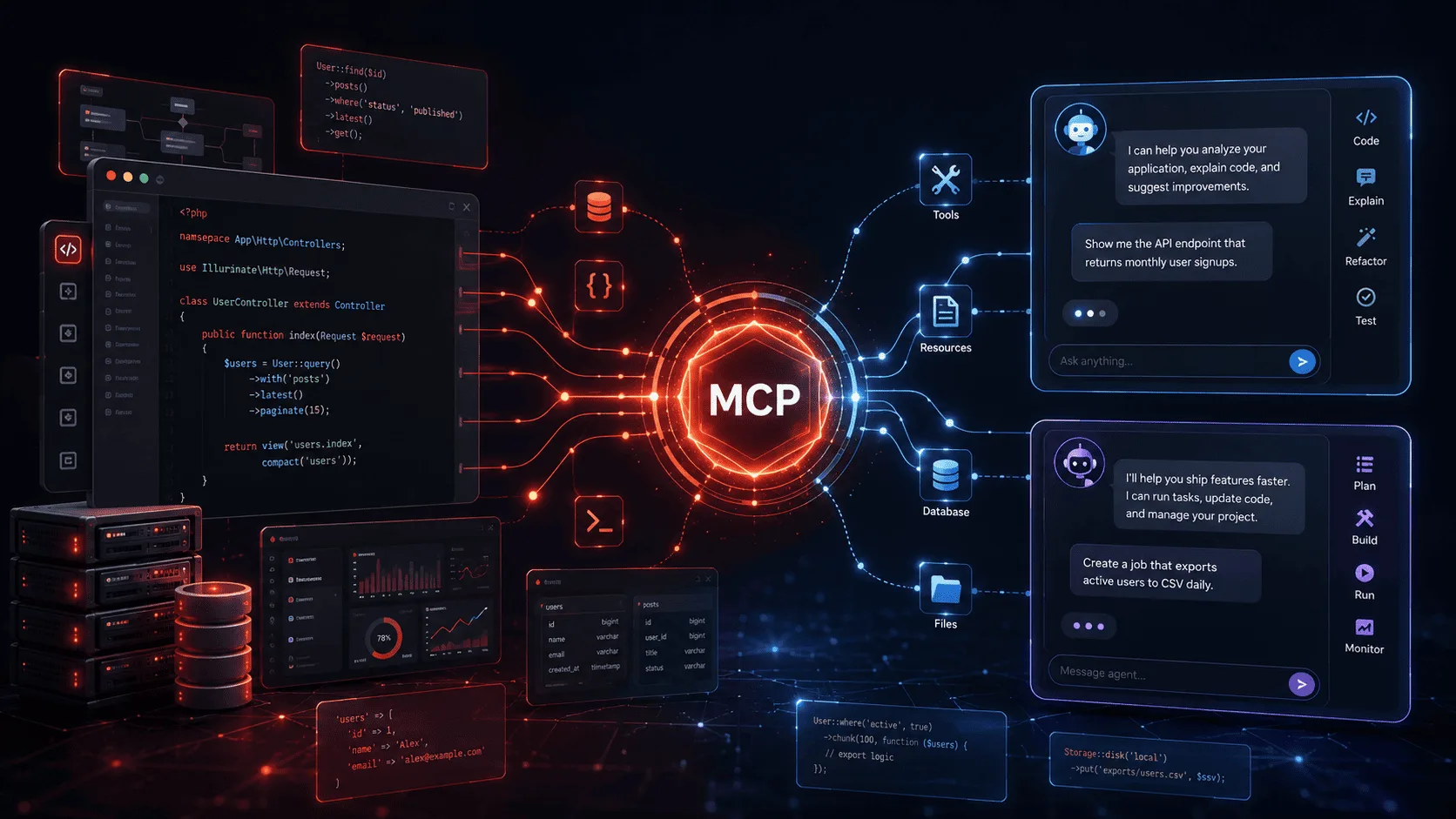
MCP stands for Model Context Protocol. It’s a standard way for AI clients to discover and use capabilities exposed by your application.
Instead of making a model guess how to call your app, you give it a proper interface:
- Tools for actions it can call
- Resources for read-only context it can fetch
- Prompts for reusable interaction templates
Think of it like this:
- your REST API is built for frontend apps, mobile clients, and other services
- your MCP server is built for AI clients
That distinction matters.
A good MCP server doesn’t replace your app. It gives AI a purpose-built doorway into it.
Why Laravel developers should care
If you’re a Laravel developer, MCP is interesting for one reason: it makes AI integrations less weird.
A plain REST API is fine, but it forces the AI layer to infer a lot:
- which endpoints matter
- how to chain them
- what’s safe
- what context should be loaded before acting
- which actions are destructive
MCP improves that by making capabilities explicit.
And with Laravel, that’s especially nice because your app already has the right primitives:
- routing
- middleware
- policies
- service classes
- queues
- validation
- auth
- rate limiting
So instead of building a separate AI gateway from scratch, you expose a focused server on top of the application you already have.
That means you can let Claude or ChatGPT do things like:
- look up an order
- summarize recent support tickets
- explain refund eligibility
- generate a deployment checklist from your app’s environment
- create internal tasks
- trigger safe workflows
Without teaching the model your whole API one fragile prompt at a time.
MCP vs REST API + ChatGPT Actions
This is the comparison most Laravel teams actually care about.
“Why not just keep my API and plug it into ChatGPT Actions?”
Fair question.
The short version
If all you need is one ChatGPT-specific integration, and you already have a decent OpenAPI spec, Actions may be enough.
If you want a reusable AI-facing surface that can work across Claude, ChatGPT, coding agents, and other MCP-compatible clients, MCP is the better abstraction.
Side-by-side
| Concern | REST API + ChatGPT Actions | MCP |
|---|---|---|
| Primary target | ChatGPT | Any MCP-compatible client |
| Interface format | OpenAPI schema over HTTP | MCP tools, resources, prompts |
| Portability | Mostly ChatGPT-centric | Cross-client by design |
| Discovery | Endpoints and schemas | First-class AI capabilities |
| Local development | Usually public/deployed API needed | Can be local or remote depending on client |
| AI ergonomics | Good, but API-shaped | Better, because it’s AI-shaped |
| Read-only context | Usually custom endpoints | Native fit via resources |
| Reusable prompt patterns | Not a first-class concept | Native fit via prompts |
What Actions do well
Actions are still useful.
If your app already exposes something like:
GET /orders/{id}POST /ticketsPOST /refunds
…and you want a custom GPT to call those endpoints, Actions can be the fastest path.
You define:
- auth
- an OpenAPI schema
- endpoint descriptions
And ChatGPT uses that schema to call your API.
That’s practical. No argument there.
Where MCP is better
MCP starts to win when you want more than “LLM calls HTTP endpoint.”
A few examples:
1. You want client portability
You don’t want one integration for ChatGPT, another for Claude, and a third one later for Cursor or VS Code.
You want to build once.
That’s the strongest reason to care about MCP.
2. You want AI-native capabilities
MCP isn’t just “here are some URLs.” It lets you expose:
- actions
- contextual resources
- reusable prompts
- metadata and richer tool descriptions
That maps more naturally to how AI clients work.
3. You want a clean separation
Your public API can stay your public API.
Your MCP server can be smaller, safer, and intentionally designed for AI use cases.
That’s a better boundary.
My take
Don’t frame this as MCP vs REST.
That’s the wrong fight.
Your Laravel app should still have a sane service layer and, if needed, a normal REST API.
Then your MCP server becomes a thin AI-facing layer on top of that domain logic.
That’s the sweet spot.
A practical Laravel walkthrough
Let’s build something real enough to matter.
We’ll imagine a Laravel app for ecommerce support. We want Claude or ChatGPT to be able to:
- look up an order
- read a support policy resource
- use a reusable prompt for refund explanations
1) Install Laravel MCP
composer require laravel/mcp
php artisan vendor:publish --tag=ai-routes
That gives you a routes/ai.php file where your MCP routes live.
Now generate the pieces we need:
php artisan make:mcp-server SupportOpsServer
php artisan make:mcp-tool FindOrderTool
php artisan make:mcp-resource SupportPolicyResource
php artisan make:mcp-prompt ExplainRefundDecisionPrompt
2) Register your server
Here’s a basic server definition.
<?php

namespace App\Mcp\Servers;

use App\Mcp\Prompts\ExplainRefundDecisionPrompt;
use App\Mcp\Resources\SupportPolicyResource;
use App\Mcp\Tools\FindOrderTool;
use Laravel\Mcp\Server;
use Laravel\Mcp\Server\Attributes\Instructions;
use Laravel\Mcp\Server\Attributes\Name;
use Laravel\Mcp\Server\Attributes\Version;

#[Name('support-ops')]
#[Version('1.0.0')]
#[Instructions('Use tools only when needed. Confirm destructive actions before taking them.')]
class SupportOpsServer extends Server
{
    protected array $tools = [
        FindOrderTool::class,
    ];

    protected array $resources = [
        SupportPolicyResource::class,
    ];

    protected array $prompts = [
        ExplainRefundDecisionPrompt::class,
    ];
}
There are three important ideas here:
- Keep the server focused. Don’t dump your whole app into one giant AI surface.
- Register small, obvious capabilities. Tools should be narrow and boring. That’s a compliment.
- Put instructions at the server level. This is a good place for behavioral guidance like ask before taking destructive actions.
3) Expose it over HTTP
In routes/ai.php:
<?php

use App\Mcp\Servers\SupportOpsServer;
use Laravel\Mcp\Facades\Mcp;

Mcp::oauthRoutes();

Mcp::web('/mcp/support', SupportOpsServer::class)
    ->middleware(['auth:api', 'throttle:mcp']);
That gives remote AI clients an MCP endpoint at:
https://your-app.com/mcp/support
If you want a local server for development-oriented tools, Laravel also supports local registration:
Mcp::local('support-ops', SupportOpsServer::class);
That’s useful when your main consumer is a local coding assistant.
4) Build your first tool
Let’s create a read-only tool that looks up an order by its public order number.
<?php

namespace App\Mcp\Tools;

use App\Models\Order;
use Illuminate\Contracts\JsonSchema\JsonSchema;
use Laravel\Mcp\Request;
use Laravel\Mcp\Response;
use Laravel\Mcp\Server\Attributes\Description;
use Laravel\Mcp\Server\Tool;

#[Description('Look up an order by its public order number.')]
class FindOrderTool extends Tool
{
    public function schema(JsonSchema $schema): array
    {
        return [
            'order_number' => $schema->string()
                ->description('Public order number, for example ORD-1042')
                ->required(),
        ];
    }

    public function handle(Request $request): Response
    {
        $orderNumber = $request->string('order_number');

        $order = Order::query()
            ->with('customer:id,name,email')
            ->where('number', $orderNumber)
            ->first();

        if (! $order) {
            return Response::text("Order {$orderNumber} was not found.");
        }

        return Response::structured([
            'number' => $order->number,
            'status' => $order->status,
            'total' => (float) $order->total,
            'currency' => $order->currency,
            'placed_at' => $order->created_at?->toIso8601String(),
            'customer' => [
                'name' => $order->customer?->name,
                'email' => $order->customer?->email,
            ],
        ]);
    }
}
A few things I like here:
- the input schema is explicit
- the description is human-readable
- the response is structured, which is exactly what AI clients want
- the tool does one thing
That last point matters more than people think.
Bad AI tools try to do too much. Good AI tools are boring.
5) Add a resource for stable context
Resources are great for read-only information that the model may need often.
Think:
- refund policy
- internal glossary
- support playbook
- shipping rules
- “how our statuses work”
Here’s a simple one:
<?php

namespace App\Mcp\Resources;

use Laravel\Mcp\Response;
use Laravel\Mcp\Server\Attributes\Description;
use Laravel\Mcp\Server\Resource;

#[Description('Human-readable support and refund policy for customer service workflows.')]
class SupportPolicyResource extends Resource
{
    public function handle(): Response
    {
        return Response::text(<<<MARKDOWN
# Support Policy

## Order statuses
- `pending`: payment received, not yet processed
- `fulfilled`: order shipped or delivered
- `cancelled`: order cancelled before fulfillment
- `refunded`: full or partial refund has been issued

## Refund rules
- Full refunds are allowed within 30 days of delivery
- Digital products are not refundable after download
- Shipping charges are only refundable if the shipment failed
MARKDOWN);
    }
}
This is better than forcing the model to “remember” business rules from a system prompt somewhere else.
Put stable context in resources. It’s cleaner.
6) Add a prompt for repeatable behavior
Prompts are useful when you want consistent phrasing or workflow scaffolding.
For example, maybe you want the AI to explain a refund decision in a customer-friendly tone.
<?php

namespace App\Mcp\Prompts;

use Laravel\Mcp\Request;
use Laravel\Mcp\Response;
use Laravel\Mcp\Server\Attributes\Description;
use Laravel\Mcp\Server\Prompt;
use Laravel\Mcp\Server\Prompts\Argument;

#[Description('Generate a customer-friendly explanation for a refund decision.')]
class ExplainRefundDecisionPrompt extends Prompt
{
    public function arguments(): array
    {
        return [
            new Argument(
                name: 'decision',
                description: 'The refund decision, such as approved or denied.',
                required: true,
            ),
            new Argument(
                name: 'reason',
                description: 'Why the refund was approved or denied.',
                required: true,
            ),
        ];
    }

    public function handle(Request $request): Response
    {
        $decision = $request->string('decision');
        $reason = $request->string('reason');

        return Response::text(<<<PROMPT
Write a concise customer support response.

Decision: {$decision}
Reason: {$reason}

Requirements:
- be clear and polite
- avoid legal language
- explain the next step
PROMPT);
    }
}
This is one of the most underused parts of MCP.
A lot of teams focus only on tools. That’s a mistake. Resources and prompts are what make the integration feel polished.
7) Reuse your service layer
This is the part I care about most.
Do not put all your business logic in MCP tool classes.
Tools should be thin.
If you already have application services like:
OrderLookupServiceRefundEligibilityServiceIssueRefundAction
…use them.
Example:
public function handle(Request $request, RefundEligibilityService $eligibility): Response
{
    $orderNumber = $request->string('order_number');

    $result = $eligibility->check($orderNumber);

    return Response::structured($result->toArray());
}
That keeps your MCP layer honest.
Your rules stay in the app. The MCP server just exposes them.
That’s how you avoid building a second system by accident.
Authentication and security
If you’re exposing an MCP server remotely, don’t treat it like a toy.
It’s not a demo endpoint. It’s a capability surface for AI clients.
Passport vs Sanctum
My practical rule is simple:
- use Passport if you want the broadest compatibility with external MCP clients
- use Sanctum if this is internal and your app already lives there
Either way, do the boring security work:
- require authentication
- use HTTPS
- rate limit requests
- audit tool usage
- separate read and write capabilities
- require confirmation for destructive tools
If you add write tools like IssueRefundTool, make that boundary extremely obvious.
I’d also keep destructive actions separate from read tools. Don’t build a mega-tool that both reads and mutates state.
Testing your server
Don’t “test” this by asking one happy-path prompt in a chat window.
Use real coverage.
At minimum, test these cases:
- valid tool input
- invalid tool input
- missing auth
- missing records
- ambiguous requests
- destructive action confirmation flow
- rate limiting
And then test it in an MCP-aware client or inspector.
This stuff breaks in subtle ways:
- vague descriptions
- weak schemas
- missing required fields
- overloaded tools
- poor error messages
You want to catch those before your users do.
Connecting to Claude and ChatGPT
This part changes a bit depending on which client you use, but the model is simple.
For Claude
If you’re using a Claude client that supports MCP, point it at your server and authenticate.
For local workflows, a local MCP server can be enough. For shared or production workflows, expose a remote HTTPS endpoint.
For ChatGPT
The key thing to remember is this:
ChatGPT expects a remote MCP server.
So if your server only lives on your laptop, you’ll need a tunnel or some remote deployment path before ChatGPT can use it.
That makes deployment decisions matter more than they do with purely local Claude-style workflows.
The practical recommendation
If you want to support both Claude and ChatGPT cleanly:
- build the server as a normal remote web server in Laravel
- secure it properly
- keep tools narrow
- expose structured responses
- test it with real prompts and edge cases
That gets you most of the way there.
Best practices I’d actually follow
A lot of AI advice is fluffy. Here’s the version I’d really use on a Laravel team.
1. Start with read-only tools
Build lookup and analysis first.
Examples:
- find order
- list recent failed jobs
- summarize support backlog
- inspect invoice details
These are safer and easier to validate.
2. Keep tools narrow
One tool, one job.
Not:
- “manage_customer_account”
More like:
find-customerlist-open-invoicesissue-refund
Specific beats clever.
3. Use structured responses
If the model may need to reason over the result, return structured content.
Free-form text is nice for humans. Structured content is nicer for AI.
4. Put stable knowledge in resources
Policies, playbooks, definitions, and reference docs belong in resources.
Don’t bury that inside tool descriptions or giant system prompts.
5. Reuse your domain services
Your MCP layer should call application code you already trust.
If a tool reimplements core business rules, you’re creating drift.
6. Treat write tools as dangerous
Separate them. Authenticate them. Log them. Confirm them.
A refund tool is not the same thing as a lookup tool.
7. Write clear descriptions
Tool naming and descriptions are not fluff. They directly affect whether the AI uses the capability correctly.
Bad:
- “Gets data”
Good:
- “Look up an order by public order number and return status, total, and customer details”
That extra specificity is worth it.
When should you use MCP?
Use MCP when:
- you want your Laravel app to be usable from multiple AI clients
- you want a cleaner AI-facing interface than a generic REST API
- you need tools, resources, and prompts in one place
- you care about portability and maintainability
Stick with plain REST + Actions when:
- you only need ChatGPT
- you already have a clean OpenAPI spec
- the integration is small
- you don’t need a broader AI interface layer
There’s no prize for overengineering this.
But there’s also no reason to keep forcing AI through an interface that wasn’t designed for it.
Final thought
The big idea here is simple.
MCP gives your Laravel app an AI-native surface area.
That’s the win.
Not hype. Not magic. Just a better contract.
If you already have good Laravel architecture, adding MCP feels natural. You keep your domain logic where it belongs, expose a small set of useful capabilities, and let clients like Claude and ChatGPT interact with your app in a way they actually understand.
That’s a lot better than hoping a model guesses your API correctly.
And honestly, that’s the part that makes MCP worth paying attention to.